
Introduction to digital locks
Digital locks replace or supplement the key with a code, a phone, a card or a fingerprint. No more hiding a key under the mat, and when someone shouldn’t have access anymore, you delete their code instead of rekeying.
Types of digital locks
- Keypad deadbolts: enter a code to unlock; many keep a key as a backup.
- Smart locks: connect to your phone over Bluetooth or Wi-Fi for remote unlocking, alerts and access logs.
- Electronic locks for businesses: codes, cards or fobs for doors with many users.
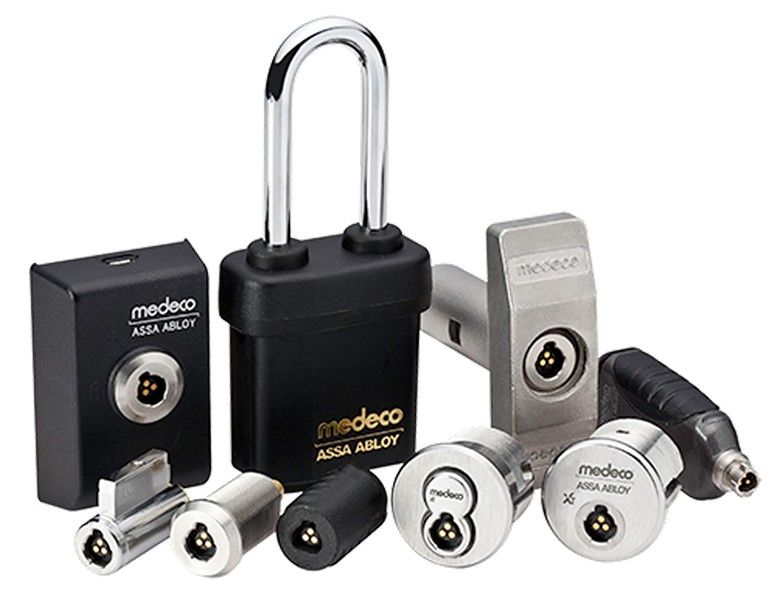
- Electronic cylinders: high-security electronic cylinders, such as Medeco’s, that add access control to existing hardware.
Benefits for homes and businesses
- No more lost keys: codes can’t be lost or copied at a hardware store.
- Easy access changes: give a code to a contractor and delete it when the job is done.
- Convenience: great for kids, older family members and anyone carrying groceries.
- Visibility: smart locks can log who came and went.
Choosing the right digital lock
Think about the door (thickness, existing holes, deadbolt or mortise prep), how many people need access, whether you want remote features and how much security the door needs. For the highest security, compare digital options with high-security mechanical locks.
Installation and maintenance
We install digital locks without replacing your door when the door prep allows it, align the bolt so the motor doesn’t strain, and set up your codes. Keep fresh batteries in the lock and clean the keypad from time to time.
Digital locks and your security
A digital lock is only as strong as its installation and settings. Use unique codes, change them when people move out or leave your company, and make sure the strike is anchored so the door can’t be forced.
Need a lock replaced at the same time? See lock replacement and installation.